Siri & Shortcuts
“Add a Groceries expense in Money.” Log spending hands-free, or ask how much is left in your budget.
Money Map for iPhone
Budgets, reports, bills and goals in one calm place. Private by default — your money stays on your iPhone.
Mostmoneyappswantyourbanklogin,yourdata,andyourattention.MoneyMapwantsnoneofit.Itkeepsaclearpictureofwhereyourmoneygoes—andkeepsitonyourphone.
Dashboard
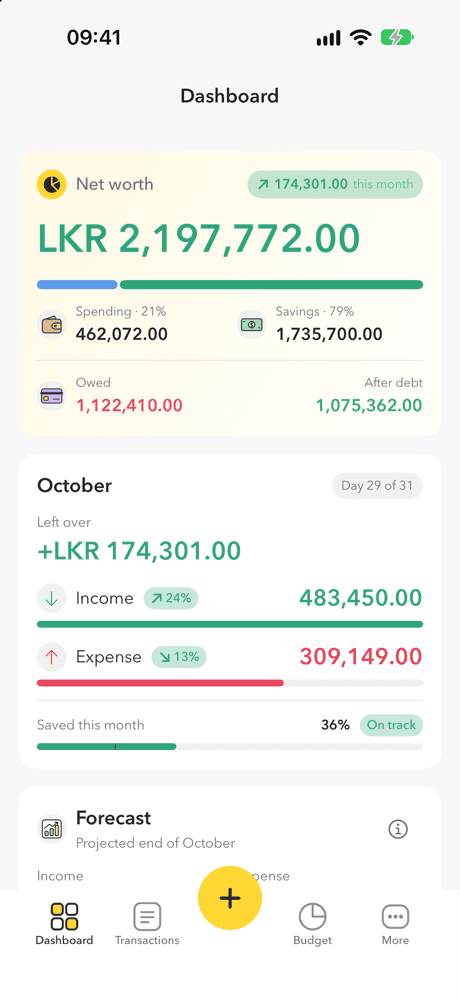
Net worth across spending, savings and debt. What's left this month, how income and spending compare with last month, and a forecast of where the month will land.
Transactions
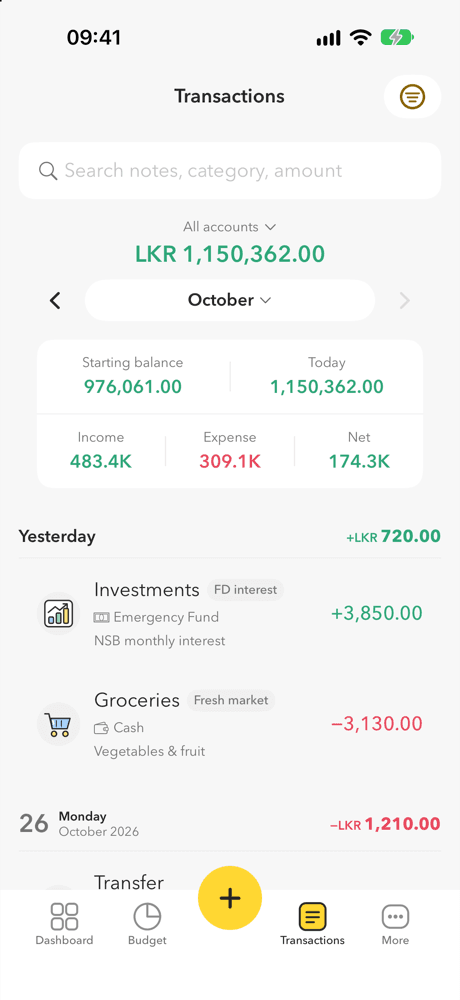
A month at a glance — starting balance, income, expense and net — then every transaction grouped by day, with categories, sub-categories and notes. Search by note, category or amount.
Quick add
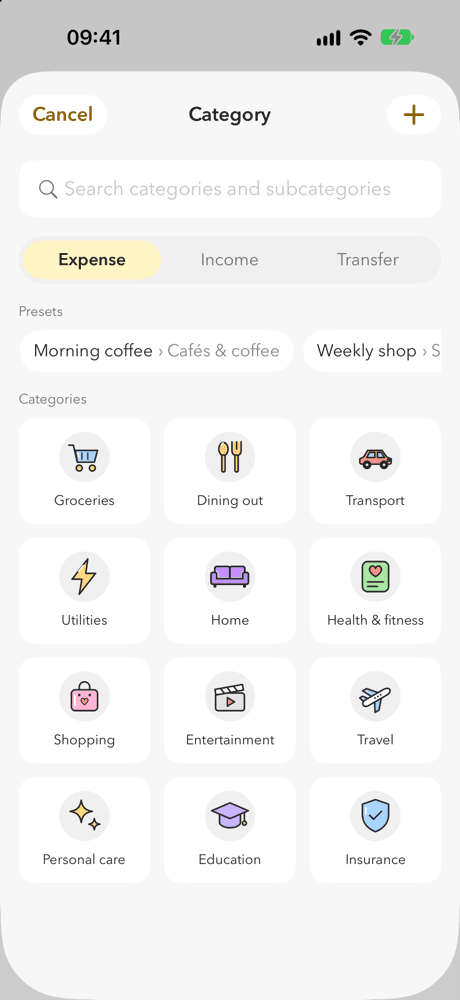
Presets like “Morning coffee” or “Fuel top-up” fill the form in one tap. A built-in calculator keypad does the maths, and transfers between accounts are just as easy.
Budget
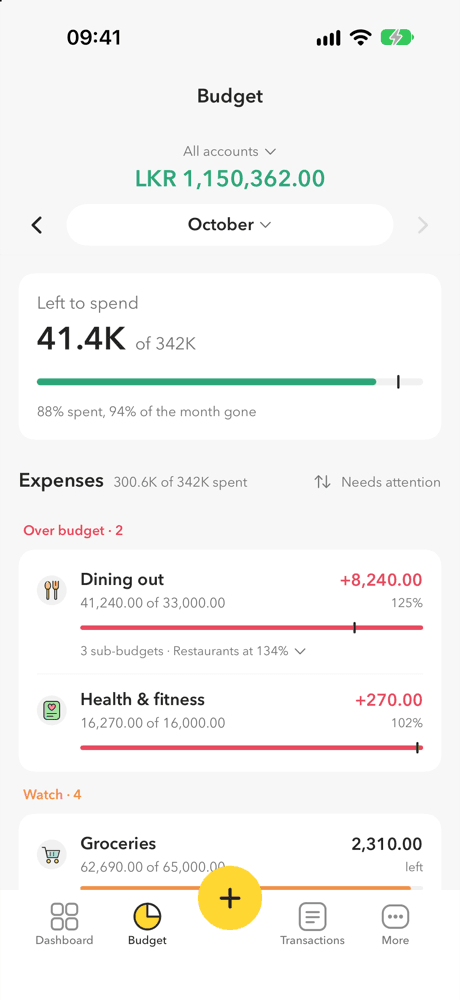
Set limits per category, then split them into sub-budgets. Money Map sorts what's over, what to watch and what's on track — and compares your spending with how much of the month has gone.
Reports
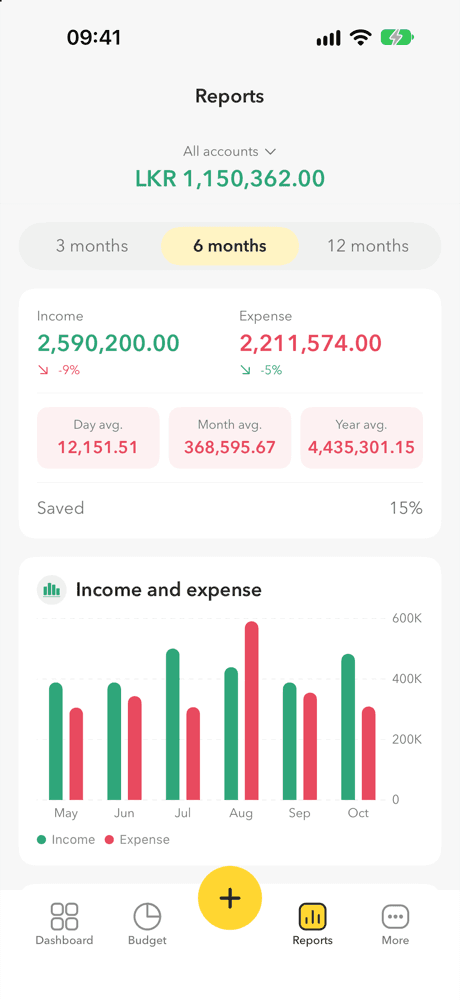
Income against expense over three, six or twelve months. Daily, monthly and yearly averages, your savings rate, top spending categories and net worth over time.
Recurring
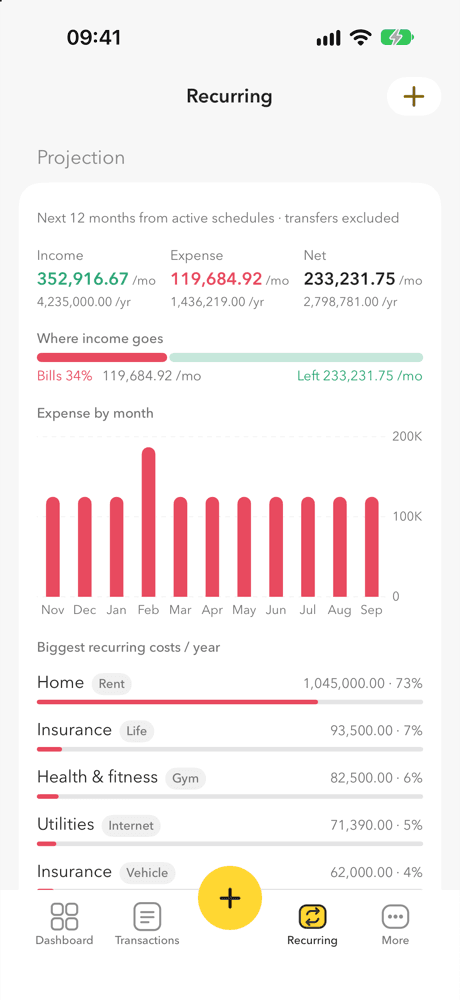
Rent, salary, subscriptions and loan instalments become schedules that post on time. A twelve-month projection shows what they'll cost and how much of your income they take.
Goals
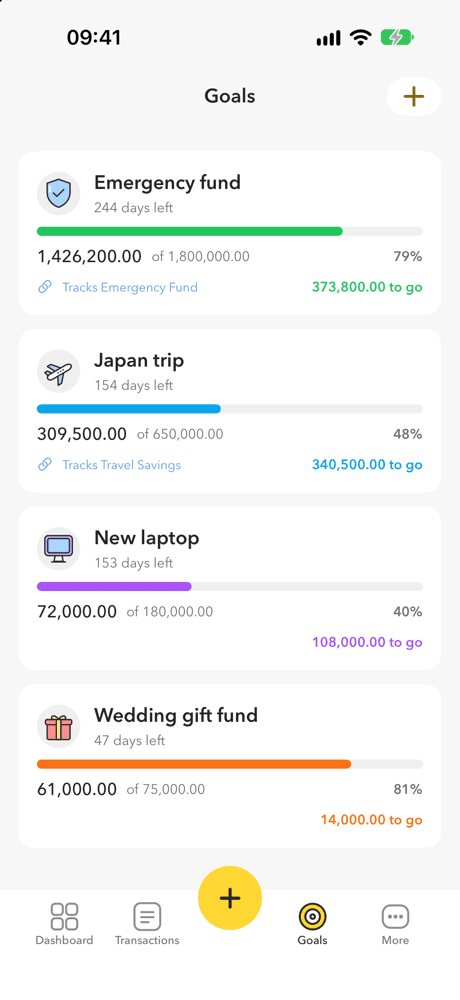
Link a goal to a savings account and it fills itself. See how far along you are, how many days remain and how much is still to go.
Assets & stocks
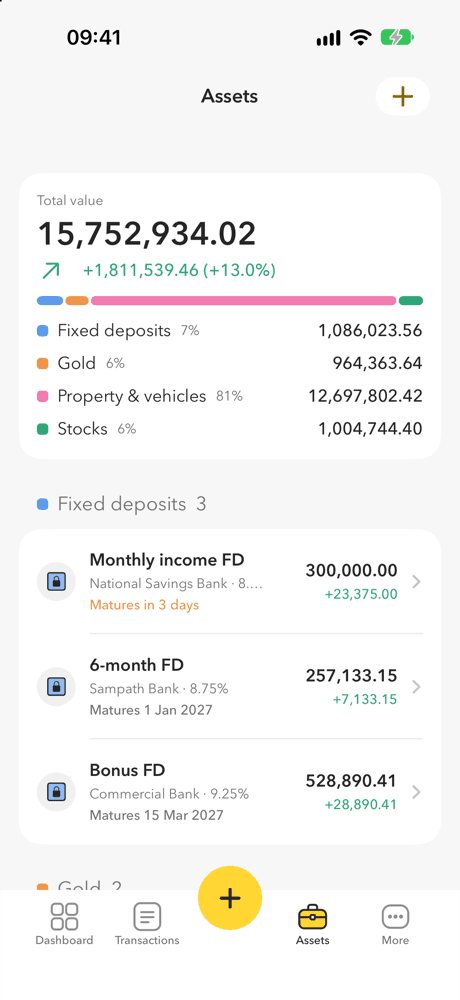
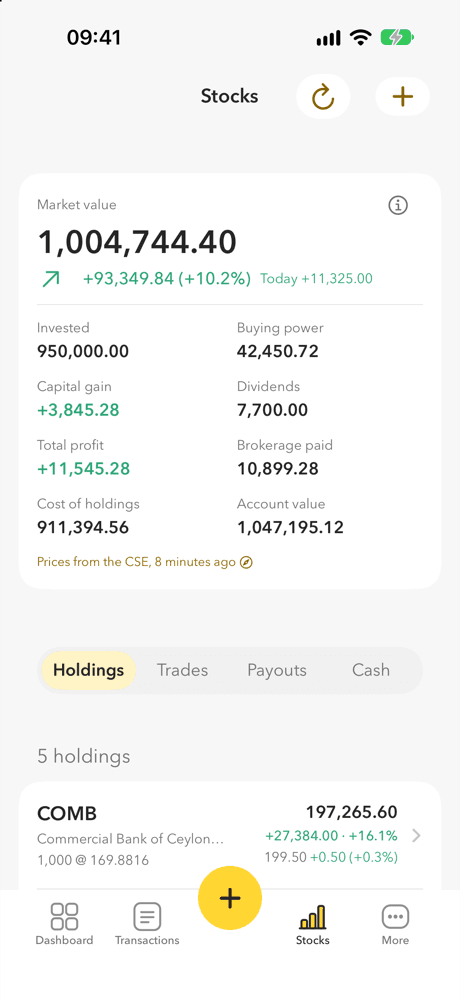
Fixed deposits with interest and maturity dates, gold valued by the pawn, land and vehicles, and a Colombo Stock Exchange portfolio with live prices, dividends and profit.
Thoughtful details, everywhere you look.
“Add a Groceries expense in Money.” Log spending hands-free, or ask how much is left in your budget.
Glance at your budget from your wrist, Home Screen or Lock Screen, and add an expense from Control Center.
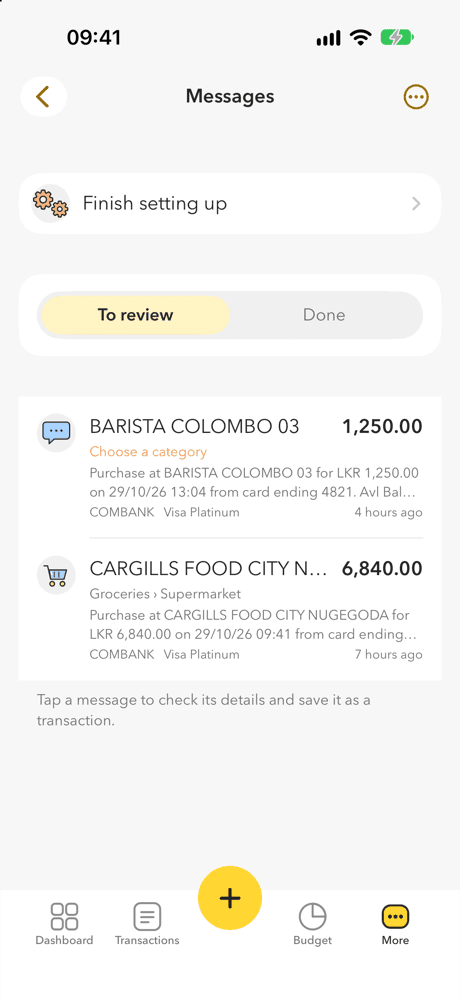
A Shortcuts automation hands bank alerts to Money Map, which reads the amount, merchant and card — and learns your categories.
Lock the app behind Face ID or Touch ID so a glance over your shoulder reveals nothing.
Compare exchange and fixed-deposit rates across Sri Lankan banks, track rate history, and convert between currencies.
Light and dark, plus twelve hand-tuned themes — from Swiss and Blueprint to Phosphor and Arcade.
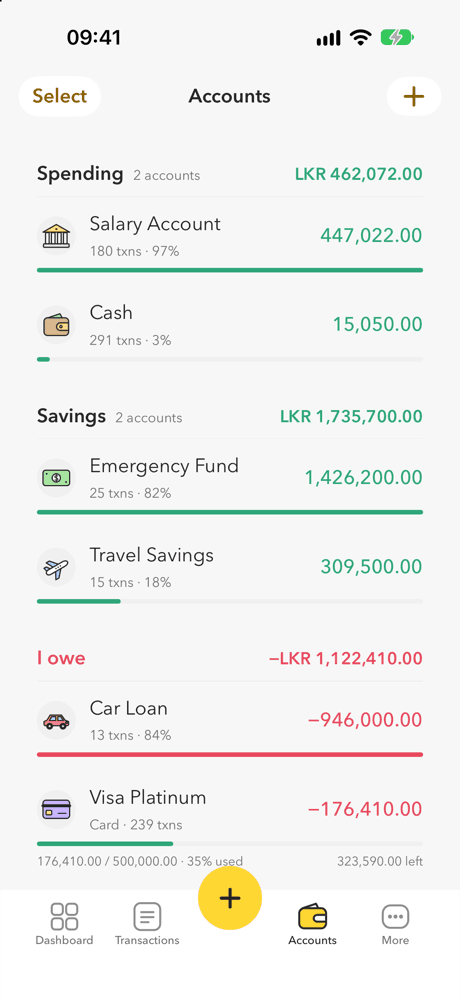
See credit-card utilisation, loan balances and a payoff plan — plus who owes you, and how much is still to come back.
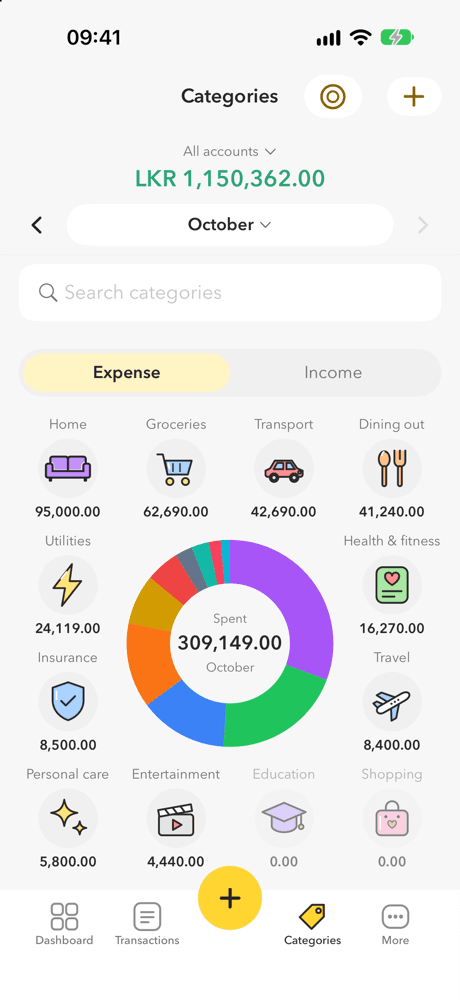
Colour-coded categories with sub-categories, icons and a spending donut — rename, recolour and reorder them whenever you like.
Back up to your own iCloud Drive or Google Drive, and export to CSV whenever you like.
Find any transaction from Spotlight, and save the views you check every week.
Money Map works entirely on your device, with no network connection needed to track your spending.
Your transactions live in a database on your device. No account is created on our servers.
No analytics, no advertising SDKs, no selling data. We can't see your money — and we don't want to.
Sign in with Apple or Google only identifies you on this device. The token is read and discarded.
Money Map for iPhone and Apple Watch. Free to download.